Start With What You Need the Pen Scanner to Do
The best pen scanner is not necessarily the one with the longest feature list. It is the one that matches what you need to scan, where you use it, and what you want to do with the text afterward.
Whether you need a reading pen for dyslexia, a portable translator, a study tool, or a scanner that transfers printed text directly into your computer, this guide explains the specifications that actually matter—and which ones you can safely ignore.
Before comparing models, decide what you actually want the device to accomplish.
Different pen scanners are designed around different workflows. A student who wants a word read aloud has very different requirements from someone who wants to digitize printed notes into Microsoft Word.
| If you want to... | Prioritize... |
|---|---|
| Read unfamiliar words aloud | Text-to-speech, speaker, supported languages |
| Get dictionary definitions | Built-in dictionary, definitions, word lookup |
| Translate printed text | Translation languages, sentence support, offline translation |
| Study a foreign language | OCR, TTS, translation, dictionaries, pronunciation |
| Scan text into a computer | OCR accuracy, USB/Bluetooth, software compatibility |
| Scan into phone or tablet apps | Bluetooth, mobile compatibility, app support |
| Work without a phone or computer | Built-in display, storage, offline features |
| Support reading difficulties | TTS, dictionary, simple controls, readable display |
| Travel internationally | Offline translation, battery life, portability, voice translation |
| Digitize documents quickly | OCR accuracy, scan speed, export options, connectivity |
If you are not sure which category describes you, start with the workflow rather than the specifications.
Understand the Three Main Types of Pen Scanner
Most pen scanners fall into one of three broad categories.
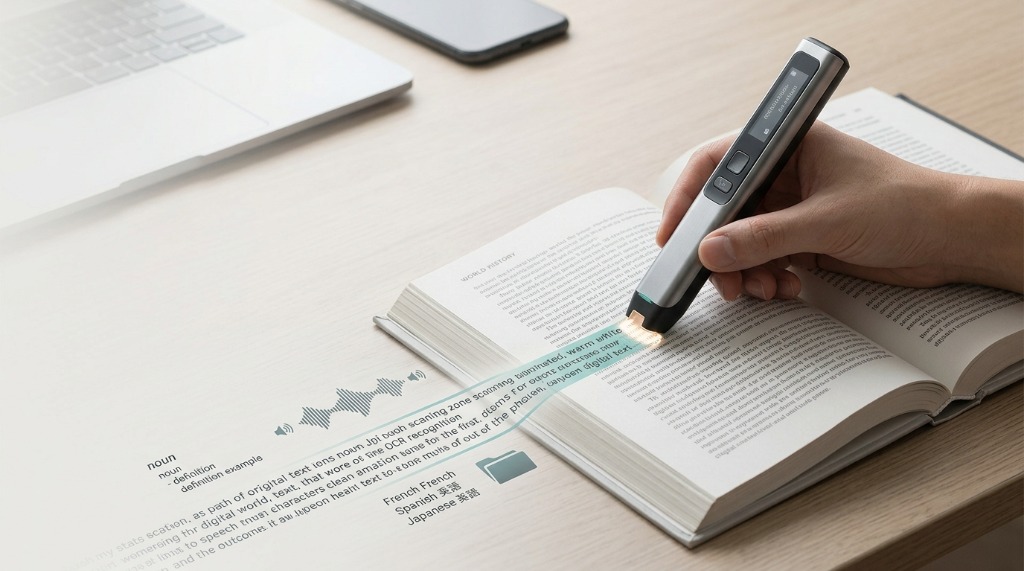
A standalone pen scanner has its own screen, controls, and processing capabilities. It can perform important functions without being permanently connected to a phone or computer. This design is best when you want a self-contained reading or translation tool.
The Scanmarker Max is an example of this approach, combining a touchscreen with scanning, reading, translation, and other functions.
Best for: Reading assistance, language learning, travel, and users who want an independent device.
Connected models send scanned text to another device, such as a computer, phone, or tablet. They can be particularly useful when the goal is to transfer printed material into documents, study software, email, or other applications.
Best for: Students, researchers, office work, note-taking, and digital document workflows.
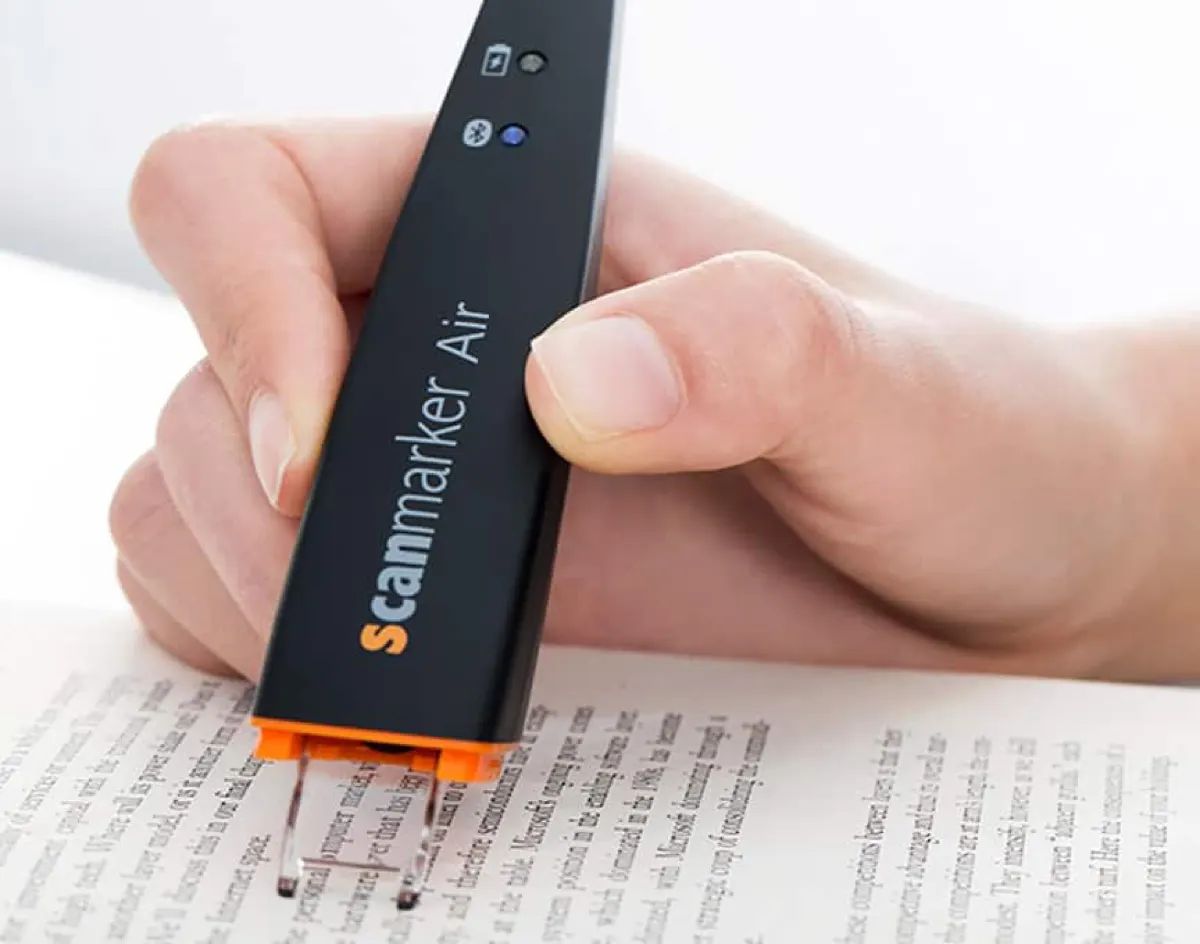
Wireless models use Bluetooth or another wireless connection to transfer scanned text without requiring a physical cable. They are particularly convenient when you want to scan directly into an application already open on your computer or mobile device.
The Scanmarker Air is designed around this connected wireless workflow.
Best for: Wireless note-taking, study apps, computers, and mobile workflows.
Check OCR Languages and Accuracy
OCR—optical character recognition—is the technology that converts the characters printed on a page into digital text.
A large language count can look impressive, but it is not enough to determine whether a scanner is suitable for you. First, check whether the device supports the specific language and script you intend to scan.
Then consider the type of material you will scan. Clean, high-contrast textbook text is generally easier for OCR systems than unusual fonts, small print, curved pages, handwriting, decorative typography, or poorly printed documents.
Manufacturers may publish separate numbers for:
- OCR languages: Characters recognized on the printed page
- Translation languages: Pairs supported for text or speech translation
- Text-to-speech languages: Natural synthesized speech playback
- Dictionary languages: Built-in lexical definitions and pronunciations
- Offline languages: Packaged locally on the device without Wi-Fi
These categories can overlap, but they are not automatically identical. If you are buying a scanner for Japanese, Arabic, Hebrew, Chinese, or another non-Latin script, check the language-specific capabilities rather than relying on a single headline number.
For a deeper explanation, see our guide to <a href="/guides/scanning-pens-for-language-learning/">scanning pens for language learning</a>.
Evaluate Text-to-Speech and Reading Assistance
If your primary reason for buying a pen scanner is reading assistance, text-to-speech may matter more than the scanner's maximum OCR language count.
- Supported speech languages and dialect accents
- Voice quality, natural cadence, and clarity
- Adjustable speech speed, where available
- Built-in speaker volume and clarity
- Headphone jack (3.5mm) or Bluetooth earbud support
- Offline speech support without internet requirements
- Ease of replaying a word or sentence
- Dictionary lookup and definition display
For language learners, hearing a word immediately after scanning it can also reinforce pronunciation and listening skills.
For users who need reading assistance, simplicity matters just as much as the feature list. A device that requires several steps for every word can create unnecessary friction.
See our <a href="/guides/reading-pens/">reading pen guide</a> for a more detailed look at reading-focused devices.
Check Translation Properly
Translation is one of the most commonly misunderstood pen-scanner specifications. Do not ask only, "How many languages does it translate?"
- Which languages can it translate from?
- Which languages can it translate to?
- Does it translate individual words, phrases, or complete sentences?
- Does translation require Wi-Fi or another connected device?
- Which languages work offline?
- Does the device support voice translation as well as printed-text translation?
These distinctions can make a major difference. Someone buying a scanner for occasional vocabulary lookup may only need word translation. A traveler may care much more about offline and two-way voice translation. A language student may value sentence translation and dictionary definitions.
For a dedicated comparison of translation-focused devices, see <a href="/guides/translation-pens/">Translation Pens</a>.
Decide Whether You Need a Screen
A built-in display changes how a pen scanner works.
A standalone device can show recognized text, definitions, translations, and other information directly on the pen.
- Less dependence on a phone or computer
- Immediate access to results directly on the pen screen
- Useful when traveling or in exam environments
- More self-contained workflow
- Better suited to reading directly from books and printed material
Connected scanners generally send the recognized text to another device.
- Excellent for digital note-taking directly into Word, Docs, or Excel
- Easier integration with existing computer workflows
- Often simpler for transferring large amounts of text quickly
- No need to duplicate the screen and processing of a laptop or tablet
The important question is not whether a screen is "better." It is whether you want the scanner to be the destination for the information or simply the input device.
Check Connectivity and Device Compatibility
Connectivity should match your workflow. Common connection methods include:
- USB — useful for wired computer workflows with zero latency or battery concerns
- Bluetooth — useful for wireless scanning into laptops, tablets, and phones
- Wi-Fi — supports standalone online translation, updates, and cloud sync
- Mobile applications — useful for phone and tablet workflows
- Desktop software — useful for document and productivity workflows
Do not assume that Bluetooth or USB compatibility means a product will work with every device. Before buying, verify compatibility with the specific operating system and hardware you plan to use, including Windows, macOS, ChromeOS, Android, or iOS/iPadOS where relevant.
Also check whether the scanner works directly with the applications you use. "Works with a computer" is much less useful information than knowing whether it can actually transfer text into your preferred writing, note-taking, or study application.
If your main goal is to scan printed text directly into an existing computer or mobile workflow, a wireless connected scanner can make more sense than a standalone reading pen.
Check What Actually Works Offline
"Offline" is not a single feature. A device may be able to scan text offline while requiring an internet connection for translation, updates, cloud services, or other advanced functions.
Before buying, check each function separately:
| Function | Works offline? |
|---|---|
| OCR | Check model (many scan locally) |
| Text-to-speech | Check model and language |
| Dictionary | Check model |
| Translation | Check model and language |
| Voice translation | Check model |
| Saved text | Check model |
| Cloud services | Usually requires connectivity |
Offline capability matters most if you:
- Travel internationally
- Study away from reliable Wi-Fi
- Work in classrooms or restricted networks
- Do not want to depend on a phone
- Need immediate access to stored language resources
For language learners, the offline language list can be more important than the total language count.
Consider Battery Life and Portability
Battery life matters because pen scanners are designed to be used away from a desk.
Look beyond the advertised maximum battery figure and consider:
- Typical operating time: Continuous scanning runtime under real-world conditions
- Charging method: Standard USB-C vs proprietary charging cables
- Charging time: Speed to recharge fully
- Standby behavior: Power management and sleep timeouts
- Battery size: Weight balance in the hand during extended sessions
- Whether the battery is replaceable: Integrated rechargeable Li-ion vs external
- How frequently you expect to use the scanner: Intermittent lookup vs marathon reading
A student scanning a few words each day has very different battery requirements from a traveler using translation functions continuously.
Size and weight also matter. A pen scanner should be comfortable enough to hold and easy to carry with books, a laptop, or other study materials.
Compare Price With the Workflow You Get
The cheapest pen scanner is not automatically the best value. Compare the complete workflow, not just the hardware price.
A lower-priced scanner may require a phone or computer for functions that a more expensive standalone model performs directly. Conversely, paying for a touchscreen and offline translation may be unnecessary if your only goal is transferring text into a computer.
When comparing prices, consider:
- Hardware
- Required host devices
- Software or apps
- Translation features
- Offline functionality
- Dictionaries
- Text-to-speech
- Connectivity
- Battery
- Warranty and support
- Your actual frequency of use
The best-value scanner is the one whose capabilities you will actually use.
Which Pen Scanner Should You Buy?
There is no single best pen scanner for everyone. Choose based on your primary workflow:
- For standalone reading, translation, and travel: Look for a standalone model with a screen, offline language support, TTS, and translation, like Scanmarker Max.
- For scanning into a computer: Prioritize OCR accuracy, connectivity, software compatibility, and export workflow.
- For wireless note-taking: Choose a Bluetooth-enabled connected scanner that works with your preferred computer or mobile device, like Scanmarker Air.
- For language learning: Prioritize OCR, TTS, dictionaries, translation, and the specific languages you study. See our guide to Scanning Pens for Language Learning.
- For reading assistance: Focus on text-to-speech, dictionary access, pronunciation, ease of use, and supported content rather than simply choosing the model with the highest language count. See our Reading Pens guide.
- For travel: Prioritize offline translation, voice translation, battery life, portability, and language coverage.
Explore our complete model lineup comparisons: <a href="/guides/pen-scanner-comparison/">Pen Scanner Comparison</a>, <a href="/guides/scanmarker-max/">Scanmarker Max Review</a>, and <a href="/guides/scanmarker-pro/">Scanmarker Pro Review</a>.