The Basic Process
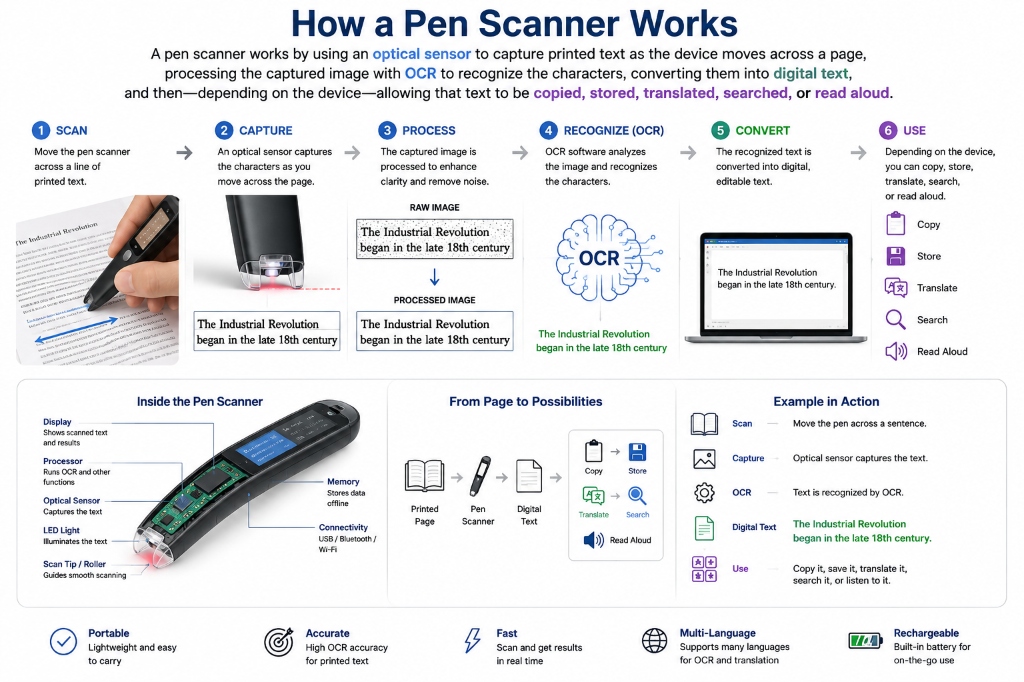
A pen scanner turns printed text into digital text in four stages, all of which happen in well under a second per line on current hardware. Understanding each stage matters because it explains where products actually differ — two pens that look identical on a spec sheet can feel completely different in daily use, and almost always the gap traces back to one of these four steps.
- CaptureAn optical sensor array in the tip images the printed line as you drag the pen across it — similar in principle to a tiny flatbed scanner moving under its own power. A guide LED or window helps you track a straight line at a steady speed.
- Image processingBefore any character recognition happens, onboard firmware corrects for tilt, uneven lighting, and scan-speed variation, and separates ink from paper. Weak processing here is the single most common cause of garbled output on cheaper devices.
- OCRAn OCR engine — usually a dedicated ASIC chip rather than general-purpose software, for speed — matches the cleaned image against character models and reconstructs the line as actual text, not a picture of text.
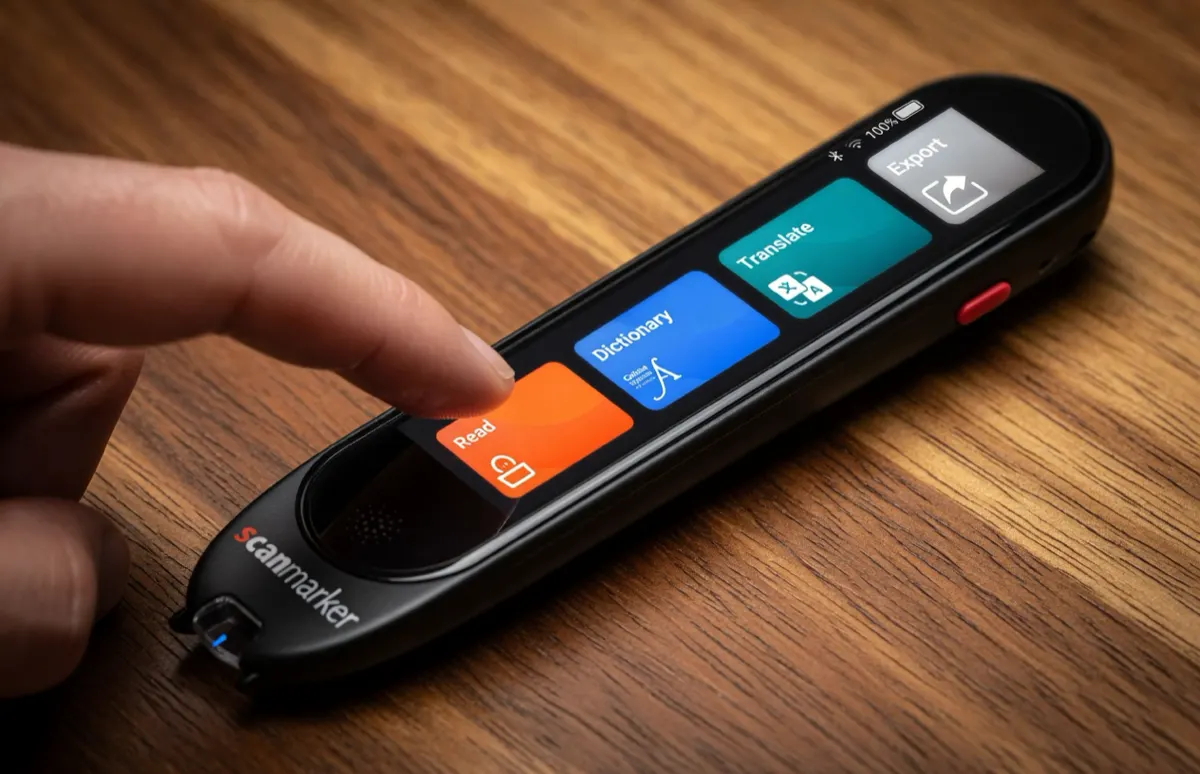
- OutputThe recognized text is handed off according to what the device supports: spoken aloud through a built-in speaker, shown on an on-device screen, translated, sent to a paired phone or computer over Bluetooth/USB, or stored on-device for later transfer.
What Is OCR?
OCR stands for Optical Character Recognition. It's the technology that lets software identify printed characters inside an image and reconstruct them as text a computer can actually use — searchable, editable, speakable, translatable.
Without OCR, a scanner has only captured a picture. With OCR, that picture becomes real text. This is the same underlying technology used in document scanning apps and receipt scanners, but a pen scanner runs it on dramatically more constrained hardware — no big camera sensor, no cloud connection required, often no screen at all — while still needing to keep pace with a hand moving across a line in real time. That constraint is exactly why <a href="/guides/ocr-pen-scanners/">OCR pen scanners</a> vary so much between budget and premium models.
Why OCR Quality Matters
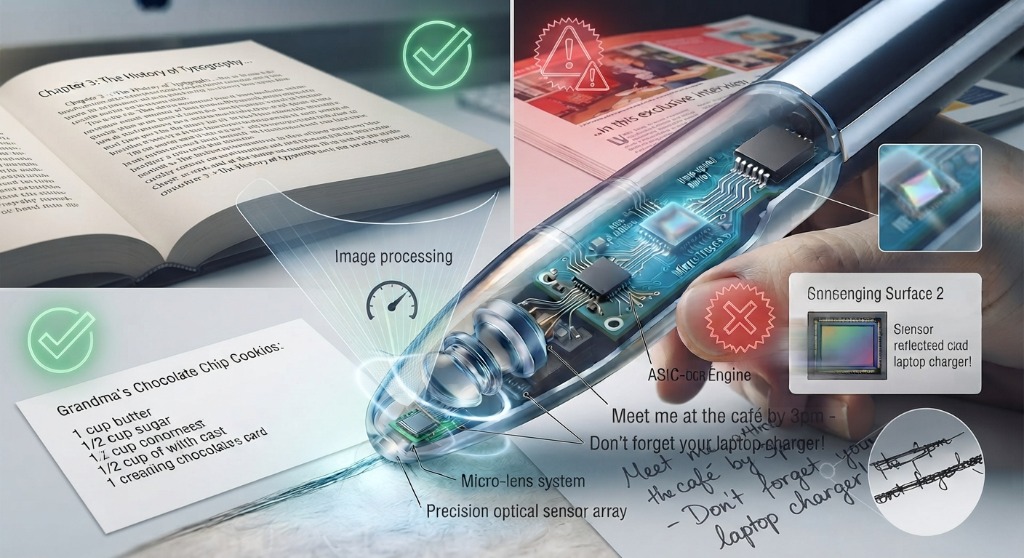
OCR performance isn't a single percentage you can compare across brands like a spec. Real-world accuracy shifts with font, font size, print contrast, paper condition, ambient lighting, how fast and how straight you scan, the language, and how many special characters or unusual glyphs are on the page.
That's exactly why our reviews test the actual scanning experience rather than repeat a manufacturer's claimed accuracy figure — see <a href="/guides/how-we-review-pen-scanners/">how we review pen scanners</a> for the testing method itself. The table below shows the one OCR-related spec that is directly comparable across the current lineup: recognition speed, which affects how forgiving a pen is if you scan a little too fast.
PAL's slightly longer recognition window is a deliberate trade — it's tuned for younger or early readers who tend to scan more slowly and less steadily, not a sign of weaker OCR. See the full breakdown in our <a href="/guides/pen-scanner-comparison/">pen scanner comparison</a>.
| Model | Recognition speed | Best for |
|---|---|---|
| Scanmarker Max | < 1 sec/line | Full independence — exam-approved, phonics-ready |
| Scanmarker Pro | < 1 sec/line | OCR-heavy connected document work |
| Scanmarker Air | < 1 sec/line | Wireless scanning straight into any app |
| Scanmarker PAL | < 1.5 sec/line | Early or struggling readers, simple by design |
| Scanmarker Reader | < 1 sec/line | Budget read-aloud via a paired device |
| Scanmarker USB | < 1 sec/line | Wired, no-pairing budget desk option |
What Happens After OCR?
Once text is recognized, different products take it in very different directions, and this is one of the most important — and most overlooked — differences between models in this category.
A standalone pen like the Max can speak the line aloud immediately through its own speaker, entirely offline, with no phone or computer required — see our <a href="/guides/scanmarker-max/">Scanmarker Max review</a>. A connected pen like the Air instead sends the recognized text straight into whatever app has focus on a paired phone, tablet, or computer, which trades independence for flexibility. Others can translate the line into another language on the spot, look a word up in a dictionary, or simply store the text for a bulk transfer later.
Which path matters most to you is really the central question in our <a href="/guides/pen-scanner-buying-guide/">buying guide</a> — it's less about which pen has "better OCR" and more about what you want to happen the instant a line is recognized.