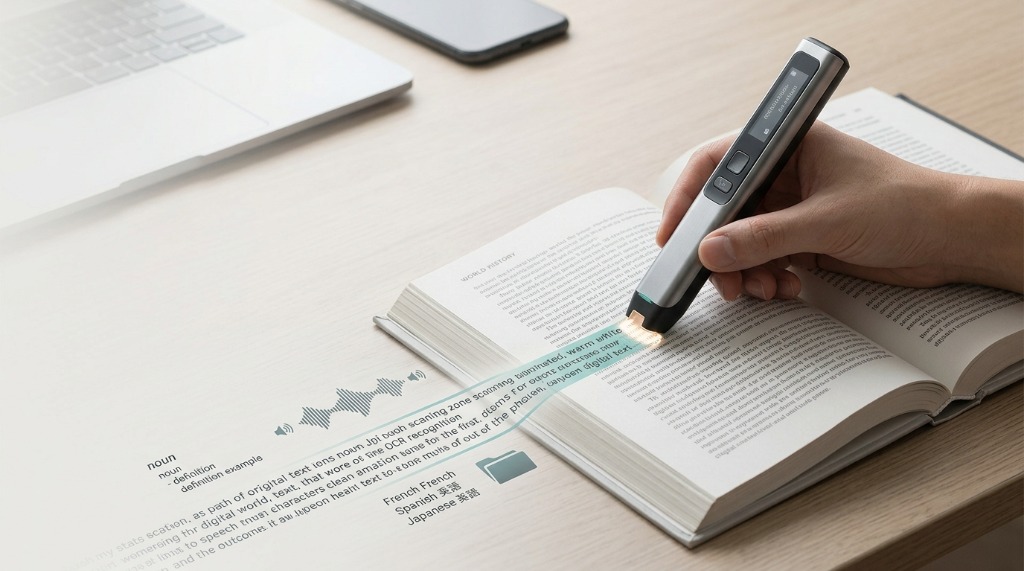
A pen scanner is a handheld device that reads printed text as you move it across a page. Most use optical character recognition (OCR) to recognize the letters and words they scan and convert them into digital text.
Depending on the model, that text may be sent to a computer or smartphone, displayed on the device, read aloud, translated, saved for later, or looked up in a built-in dictionary.
That makes a pen scanner fundamentally different from a conventional document scanner. Instead of scanning an entire page, you can move the device over a word, line, sentence, or short passage and work with that specific piece of text.
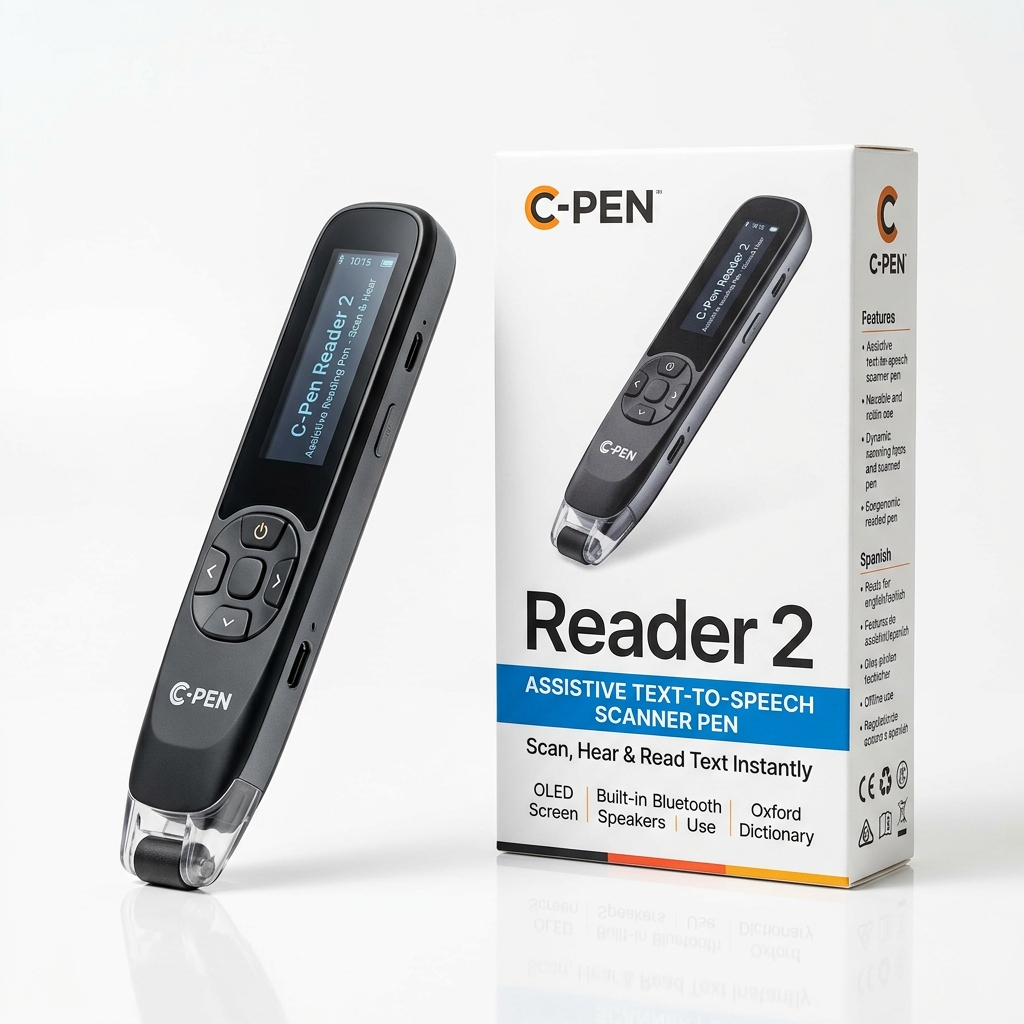
But "pen scanner" is a broad category. Some devices are essentially portable OCR scanners. Others are reading pens designed to speak printed text aloud. Some combine OCR with translation, dictionaries, pronunciation tools, or a touchscreen.
This guide explains how pen scanners work, what they can and cannot do, how they compare with smartphones and traditional scanners, and what to look for if you're considering buying one.
Editorial disclosure: PenScanner.org is an independently run buyer's guide. Our reviews and comparisons use a consistent evaluation framework. Some links on this site are affiliate links, including purchase links to Scanmarker. If you purchase through an affiliate link, we may earn a commission at no additional cost to you. How we review
What Does a Pen Scanner Actually Do?
At its simplest, a pen scanner does three things:
- Captures an image of printed text
- Recognizes the characters using OCR
- Turns the recognized text into something you can use
The exact result depends on the device.
A basic computer-oriented scanning pen might transfer the recognized text directly into a document or text field.
A reading pen may instead display the scanned word and read it aloud.
A more advanced device might combine OCR with:
- Text-to-speech
- Translation
- Dictionary definitions
- Pronunciation
- Text storage
- Touchscreen controls
- Bluetooth or USB connectivity
- Smartphone or computer connectivity
- Multiple language support
- Line or paragraph scanning
- Document or image scanning
This is why the term pen scanner can be confusing. Two products may both be marketed as pen scanners while serving completely different purposes.
A useful way to think about the category is:
- Pen scanner = the form factor.
- OCR = the core text-recognition technology.
- Additional features = what determines the actual use case.
How Does a Pen Scanner Work?
Most text-scanning pens rely on a combination of a small optical sensor, image-processing software, and OCR.
When you move the scanner across printed text, its sensor captures the characters underneath the scanning head. The device then analyzes the image and attempts to identify the individual letters, numbers, and symbols.
The OCR system converts the visual information into machine-readable text.
For example, a printed sentence such as:
“The future belongs to those who prepare for it today.”
can become digital text that a device can display, read aloud, translate, store, or transfer to another application.
The process happens quickly, but the result is not magic. OCR accuracy depends on factors such as:
- Print quality
- Font
- Font size
- Contrast
- Scanning speed
- Scanning angle
- Page curvature
- Lighting
- Language
- The quality of the device's OCR engine
This is one reason a pen scanner should not be judged only by its list of advertised features. How reliably it recognizes real-world text is at least as important as what the specification sheet says it can do.
What Can You Scan With a Pen Scanner?
Most pen scanners are designed primarily for printed text, rather than arbitrary objects or handwriting.
Typical examples include:
- Books
- Textbooks
- Worksheets
- Newspapers
- Magazines
- Printed documents
- Receipts
- Labels
- Menus
- Study materials
- Product information
- Reference books
Some models can also handle different types of printed material, while others are more specialized.
What about handwriting?
This is an important distinction.
OCR technology can recognize printed characters far more reliably than ordinary handwriting. Unless a particular product explicitly supports handwriting recognition, you should not assume that a pen scanner can accurately read handwritten notes.
The same applies to highly decorative fonts, extremely small text, unusual layouts, or damaged and low-contrast printing.
Pen Scanner vs. Traditional Scanner
The biggest difference is what you want to capture.
A traditional flatbed or document scanner is designed to capture a complete document or image.
A pen scanner is designed around selective scanning.
| Task | Pen Scanner | Traditional Scanner |
|---|---|---|
| Scan a single word | Excellent fit | Possible, but inefficient |
| Scan a sentence | Excellent fit | Possible |
| Scan a complete page | Depends on model | Excellent fit |
| Scan a book page | Selective text | Excellent for page images |
| Scan large batches | Usually not ideal | Excellent |
| Archive documents | Usually not ideal | Excellent |
| Quick text lookup | Excellent fit | Slow workflow |
| Portable use | Excellent | Limited |
| High-resolution images | Usually not the focus | Strong |
| Reading assistance | Some models | Usually requires additional software |
A traditional scanner makes sense when the document itself is the object you want to preserve.
A pen scanner makes more sense when you want to interact with a particular piece of printed text immediately.
For example, if you are reading a textbook and encounter one unfamiliar word, scanning that word can be considerably more direct than scanning the entire page.
Pen Scanner vs. Smartphone
A smartphone can already perform many of the functions associated with a pen scanner.
Modern phones can use their cameras and OCR software to:
- Recognize text
- Copy text
- Translate text
- Search for words
- Look up definitions
- Read text aloud
- Store scanned information
So why buy a dedicated device?
The difference is primarily workflow.
With a smartphone, the process may involve:
- Unlocking the phone
- Opening the camera or scanning application
- Positioning the camera
- Capturing the text
- Waiting for recognition
- Selecting the relevant text
- Performing the desired action
A dedicated scanning pen is designed around the scanning action itself.
You hold it like a pen, place it over the printed text, and scan the relevant word or line.
That can be particularly useful for people who repeatedly interact with printed material and want a tool dedicated to that task.
There is also a practical difference: using a dedicated device can keep the task separate from the notifications, messages, social media, and other distractions associated with a smartphone.
That does not make a pen scanner universally better than a phone. For occasional scanning, a phone may be all you need.
The question is whether dedicated hardware makes the workflow sufficiently faster, simpler, or more accessible for your particular use case.
Are All Pen Scanners the Same?
No.
"Pen scanner" describes a product category rather than one standardized type of device.
There are several major categories.
1. OCR Scanning Pens
These devices focus primarily on capturing printed text and converting it into digital text.
They can be useful when the main goal is moving information from paper into a computer or other digital workflow.
Typical users include:
- Researchers
- Students
- Office workers
- Writers
- Archivists
- Professionals working with printed documents
2. Reading Pens
Reading pens are designed around accessing printed text, rather than simply digitizing it.
Depending on the device, they may offer:
- Text-to-speech
- Dictionary definitions
- Pronunciation
- Word lookup
- Translation
This makes the category particularly relevant to readers and people who want additional assistance when encountering unfamiliar printed text.
3. Translation Pens
Translation-oriented devices emphasize language learning and multilingual use.
Depending on the model, they may combine OCR with:
- Translation
- Pronunciation
- Dictionaries
- Multiple language databases
- Text-to-speech
They can be useful for language learners and people who regularly work across languages.
4. Computer Scanning Pens
Some scanning pens are primarily designed to send recognized text directly to a computer.
These can fit workflows where the goal is to transfer printed information into:
- Word processors
- Spreadsheets
- Research notes
- Databases
- Other desktop applications
5. Hybrid Pen Scanners
Some modern devices combine several categories.
A single device may include OCR, text-to-speech, translation, dictionary lookup, a touchscreen, and computer connectivity.
These products can be versatile, but more features do not automatically make a device more suitable for every user.
The important question is which features you will actually use.
Connected vs. Standalone Pen Scanners
Another important distinction is whether the device requires another device to function.
Connected pen scanners
A connected scanner may rely on a:
- Computer
- Smartphone
- Tablet
- Companion application
This approach can provide greater flexibility and may work particularly well for transferring large amounts of recognized text.
Standalone pen scanners
A standalone model performs more of the work directly on the device.
Depending on the product, it may have its own:
- Screen
- Speaker
- Storage
- Dictionary
- Translation tools
- OCR processing
The advantage is simplicity.
You can potentially scan and interact with the text without first connecting another device.
For users who want immediate reading or translation assistance, that difference can be significant.
What Is a Pen Scanner Used For?
There is no single "pen scanner user."
The technology appears in several different workflows.
Students
A student may use a scanning pen to quickly look up unfamiliar vocabulary, capture information from textbooks, or transfer short passages into digital notes.
The value is particularly apparent when the student encounters many individual words or short sections of printed material rather than needing to digitize an entire document.
Language Learners
Language learners can use scanning pens to interact with unfamiliar vocabulary while reading books, worksheets, menus, newspapers, or other printed material.
Depending on the model, the device may provide:
- Translation
- Definitions
- Pronunciation
- Text-to-speech
That turns printed material into something more interactive.
Researchers and Professionals
Researchers and professionals may use OCR scanning pens to capture quotations, references, terminology, or individual passages from printed material.
For this audience, the important features may be different from those valued by a language learner.
Text-transfer reliability, compatibility, scanning speed, and workflow integration may matter more than translation or pronunciation.
Readers Who Want Reading Assistance
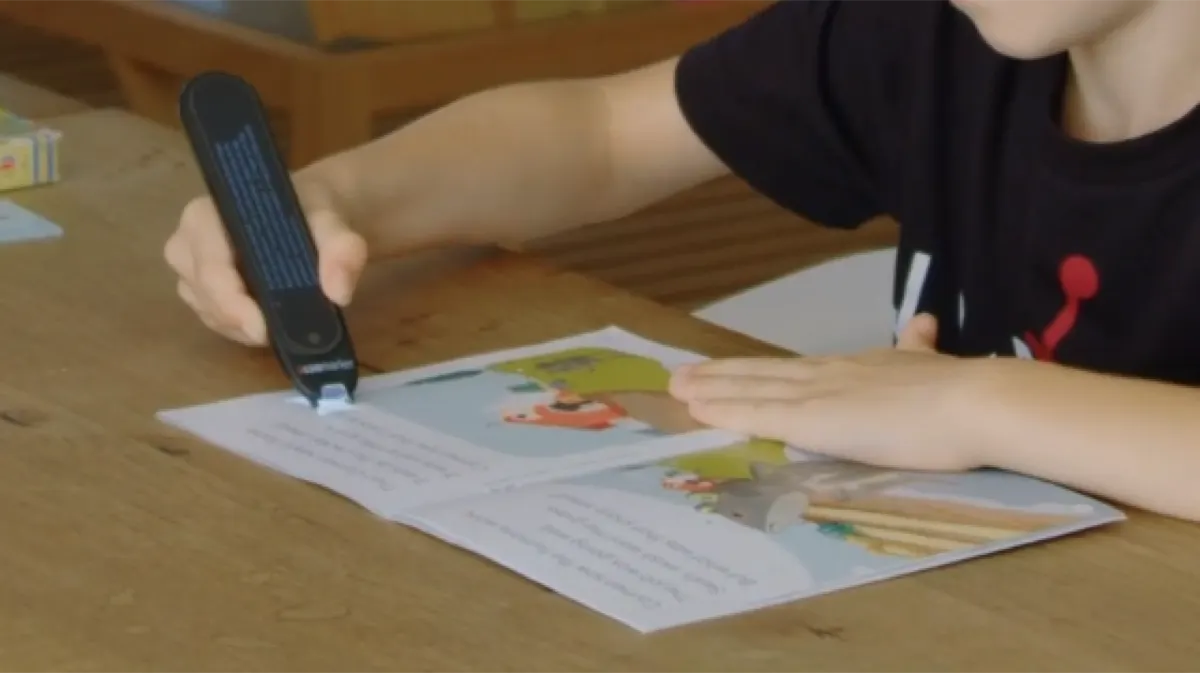
Some people use reading pens because they want printed text to be spoken aloud or otherwise made easier to access.
This is a different use case from simply converting paper into editable text.
When evaluating a device for reading assistance, features such as text-to-speech quality, ease of use, speaker performance, scanning accuracy, and standalone operation may be more important than raw OCR specifications.
What Makes a Good Pen Scanner?
There is no single specification that determines whether a pen scanner is good.
The most important factors depend on what you intend to do with it.
OCR accuracy
The first question is simple:
Does it recognize the text correctly?
A device with dozens of features is not particularly useful if it frequently misreads ordinary printed text.
Scanning speed
A scanner should be responsive enough that the scanning process does not become frustrating.
However, advertised scanning speed should be treated carefully. Real-world usability depends on both speed and accuracy.
Supported languages
Language support matters if you read multilingual material.
Check whether a device supports the languages you actually need rather than relying on a headline claiming support for "multiple languages."
Text-to-speech
For reading-oriented use, text-to-speech can be one of the most important features.
Consider:
- Voice quality
- Pronunciation
- Volume
- Playback controls
- Supported languages
- Whether speech works offline
Dictionary and translation
If you plan to use the device for vocabulary or language learning, dictionary and translation functionality can be more important than computer connectivity.
Connectivity
If your goal is to move printed text into a digital workflow, check how the scanner connects.
Possible options include:
- USB
- Bluetooth
- Wi-Fi
- Companion applications
Display and controls
Standalone models often include a screen.
A screen can make it possible to review recognized text, definitions, translations, and settings directly on the device.
But screen size, interface design, responsiveness, and navigation matter just as much as the presence of a display.
Battery life
Battery claims should always be considered in the context of actual use.
A device advertised for many hours may behave differently depending on:
- Screen brightness
- Speaker volume
- Connectivity
- Scanning frequency
- Translation features
Ease of use
This is one of the most overlooked specifications.
A scanning pen can have excellent technology and still be frustrating if:
- It is difficult to hold correctly
- The scanning head is awkward
- Menus are complicated
- Setup takes too long
- Connectivity is unreliable
- The scanning process is inconsistent
For many users, simplicity is a feature.
Who Should Consider Buying a Pen Scanner?
A pen scanner is worth considering if you frequently work with printed text and want a faster or more focused workflow than using a smartphone or conventional scanner.
Potential users include:
- Students
- Language learners
- Researchers
- Professionals
- Travelers
- Readers
- Teachers
- People working with printed reference material
- People seeking portable reading assistance
But a pen scanner is not automatically the right solution.
If you only scan a document a few times per year, your existing smartphone may be sufficient.
If you need to archive hundreds of pages, a document scanner is probably a better fit.
If you primarily need help reading individual words or lines, a dedicated scanning or reading pen may make more sense.
The right choice depends on the problem you are actually trying to solve.
What Are the Limitations of Pen Scanners?
Pen scanners are useful, but they are not magic.
They depend on printed-text quality
Poor printing, unusual fonts, low contrast, damaged pages, and unusual layouts can reduce OCR accuracy.
They are not necessarily designed for handwriting
Do not assume that a device capable of reading printed text can accurately interpret handwriting.
Scanning technique matters
The way you move the pen can affect the result.
Some devices require a relatively controlled movement across the text. Users may need a short adjustment period before scanning becomes natural.
Different models have very different capabilities
A low-cost computer scanning pen and a standalone reading pen may share the same general form factor while providing completely different experiences.
This is why comparing devices only by price or "OCR" support can be misleading.
Pen Scanner Buying Checklist
Before buying one, ask these questions:
1. What do I actually want to scan? Individual words? Sentences? Books? Documents?
2. What do I want to happen after scanning? Copy text? Hear it aloud? Translate it? Look it up? Save it?
3. Do I need a computer or phone? If not, look at standalone models.
4. Which languages do I need? Check actual supported languages and functions.
5. Do I need text-to-speech? If reading assistance is the priority, this may be more important than connectivity.
6. Do I need translation? If language learning is the main purpose, evaluate translation quality and supported languages.
7. How often will I use it? Frequent users benefit more from a dedicated workflow than occasional users.
8. Can I use it comfortably? Ergonomics and ease of scanning matter more than many specification sheets suggest.
Pen Scanner vs. Phone vs. Traditional Scanner: The Simple Answer
The three technologies solve different problems.
Choose a pen scanner when: You frequently need to interact with individual pieces of printed text and want a dedicated, portable workflow.
Choose a smartphone when: You scan occasionally and already have the software and camera capabilities you need.
Choose a traditional scanner when: You need to capture complete pages, documents, images, or large batches.
There is no universal winner. The right technology depends on the job.
Examples of Pen Scanner Features
A modern pen scanner can potentially combine several functions in one device.
| Feature | What it does | Most relevant to |
|---|---|---|
| OCR | Converts printed characters into digital text | Almost everyone |
| Text-to-speech | Reads recognized text aloud | Readers, reading assistance |
| Dictionary | Provides definitions | Students, language learners |
| Translation | Converts text between languages | Language learners, travelers |
| Pronunciation | Helps with unfamiliar words | Language learners |
| Text storage | Saves recognized text | Researchers, students |
| USB | Transfers data to a computer | Desktop workflows |
| Bluetooth | Connects wirelessly | Mobile workflows |
| Display | Shows scanned information | Standalone users |
| Document scanning | Captures larger amounts of text | General scanning |
The presence of a feature does not tell you how well it works. For buying decisions, implementation matters as much as the specification.
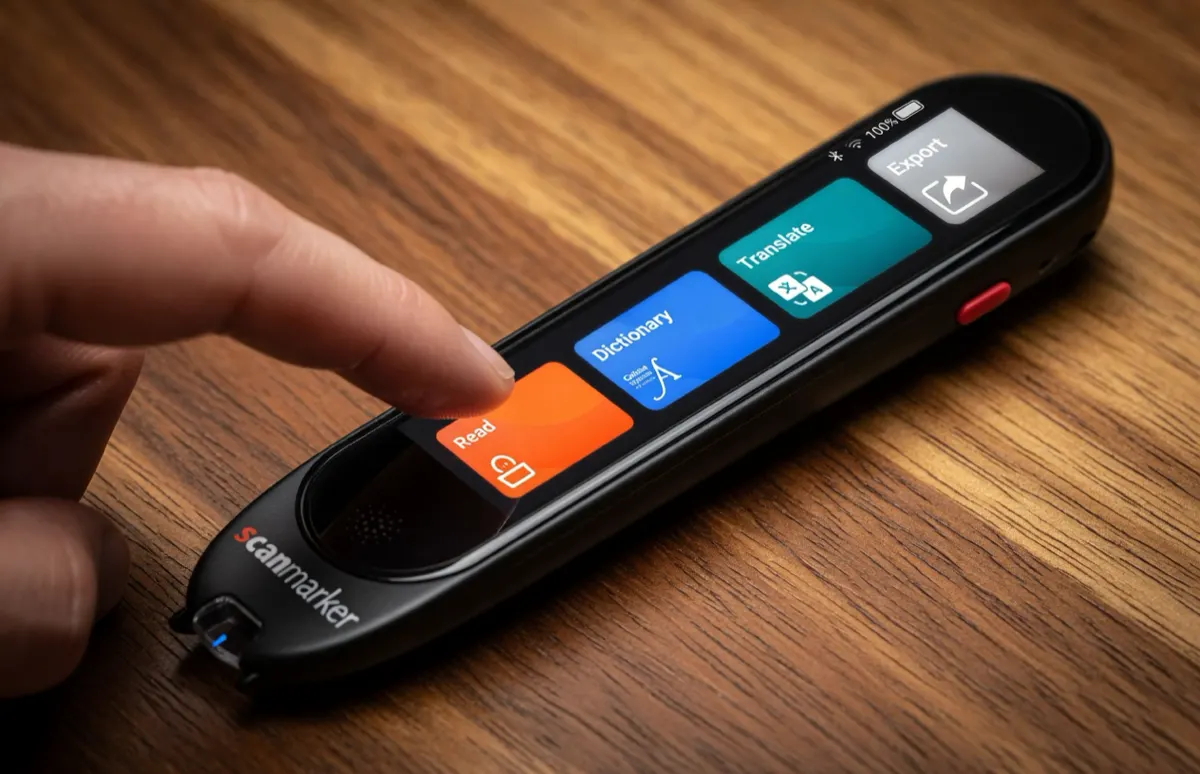
Example: Scanmarker Pen Scanners
Scanmarker is one example of a brand operating across several pen-scanner use cases.
Its product range includes different approaches to scanning, reading, and text transfer, which illustrates an important point about this category: "pen scanner" is not one standardized product type.
Some Scanmarker devices are designed around computer or mobile workflows, while standalone models put more functionality directly on the device.
For example, Scanmarker PAL is positioned as a standalone reading-oriented device, while other Scanmarker products emphasize connected scanning and text transfer.
If you are comparing Scanmarker models, the useful question is not simply "Which Scanmarker is best?"
It is:
“Which Scanmarker matches the way you intend to use a pen scanner?”
See our Scanmarker reviews and comparisons for model-specific testing and buying guidance.
The Bottom Line
A pen scanner is best understood not as a tiny version of a traditional scanner, but as a focused tool for interacting with printed text.
Its core technology is OCR, but the experience depends on everything built around that technology: scanning accuracy, speed, language support, text-to-speech, translation, dictionaries, connectivity, display, battery life, and ease of use.
For some people, a smartphone already does enough.
For others, especially those who repeatedly work with printed words and short passages, a dedicated pen scanner can remove several steps from the process.
The most important question is therefore not:
“What is the best pen scanner?”
It is:
“What do I need a pen scanner to do?”
Once that is clear, the differences between OCR scanners, reading pens, translation pens, connected scanners, and standalone devices become much easier to understand.