Quick Verdict
Max is the right choice for someone who wants one device that scans, speaks, and works completely on its own — no phone, computer, or app required. It is not the right choice for someone who only needs to move text into a computer document, where the connected Pro model is the stronger fit for that specific workflow.
Key Features
Price: $299. Type: standalone — reads aloud on its own, no host device needed. Languages: offline text-to-speech in 30 languages, with translation across 112 languages when connected. Touchscreen display. Exam-lock mode for testing environments.
Design & Hardware
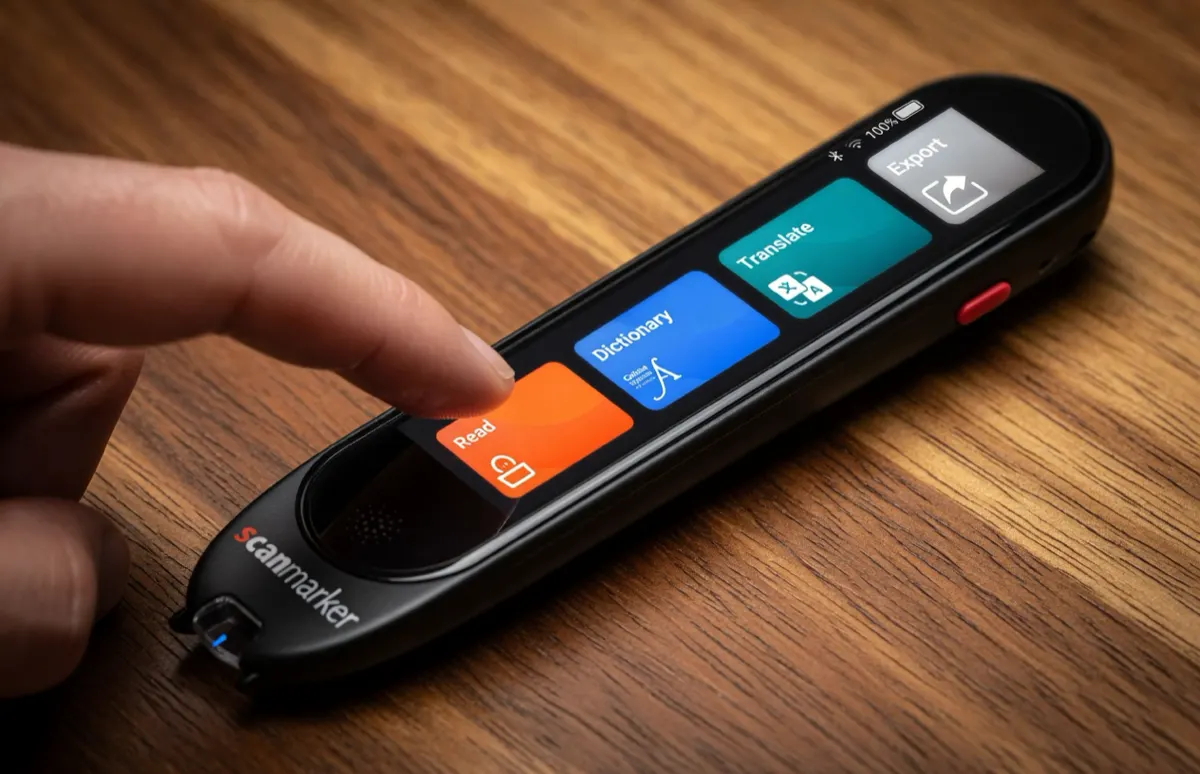
Max includes a built-in touchscreen and speaker, distinguishing it from the network's connected models, which rely on a paired phone or computer for display and audio output.
Reading Features
Offline text-to-speech in 30 languages is the core feature — Max reads recognized text aloud without needing a connection. Exam-lock mode disables translation and dictionary functions, a feature aimed specifically at test settings where those features would not be permitted.
Translation
Translation across 112 languages is available when Max is connected, in addition to its 30-language offline read-aloud.
Price & Value
At $299, Max is the most expensive standalone model in the lineup, and the price reflects the touchscreen and exam-lock feature set. For a buyer who specifically needs standalone operation plus those features, it is the only model in the current lineup that offers both together.
Who Is It For?
Buyers who want a fully standalone reading pen with a touchscreen, who need exam-safe operation, or who want the broadest combination of read-aloud and translation features without pairing to another device.
Who Should Skip It?
Buyers who only need to scan text into a computer document should compare Pro, which is priced lower and built specifically for that connected workflow. Buyers who want the simplest, lowest-cost standalone option should compare PAL.