
The Student Reading Bottleneck: Why Highlighting and Retyping Fail
A scanning pen bridges the physical-digital divide directly at the student's desk. Instead of switching attention back and forth between a paper book and a computer keyboard, a student glides the pen over a printed sentence, and the text appears instantaneously in their digital notes or reads aloud through their earbuds.
Whether you are an academic researcher gathering direct quotes for a term paper, a student with ADHD needing multimodal audio to stay focused, or an English language learner decoding complex terminology, integrating a pen scanner transforms passive reading into an active, efficient study system.
Three Essential Academic Workflows for Students
Different academic tasks call for distinct scanning workflows. Here is how modern students utilize scanning pens across their study routines:
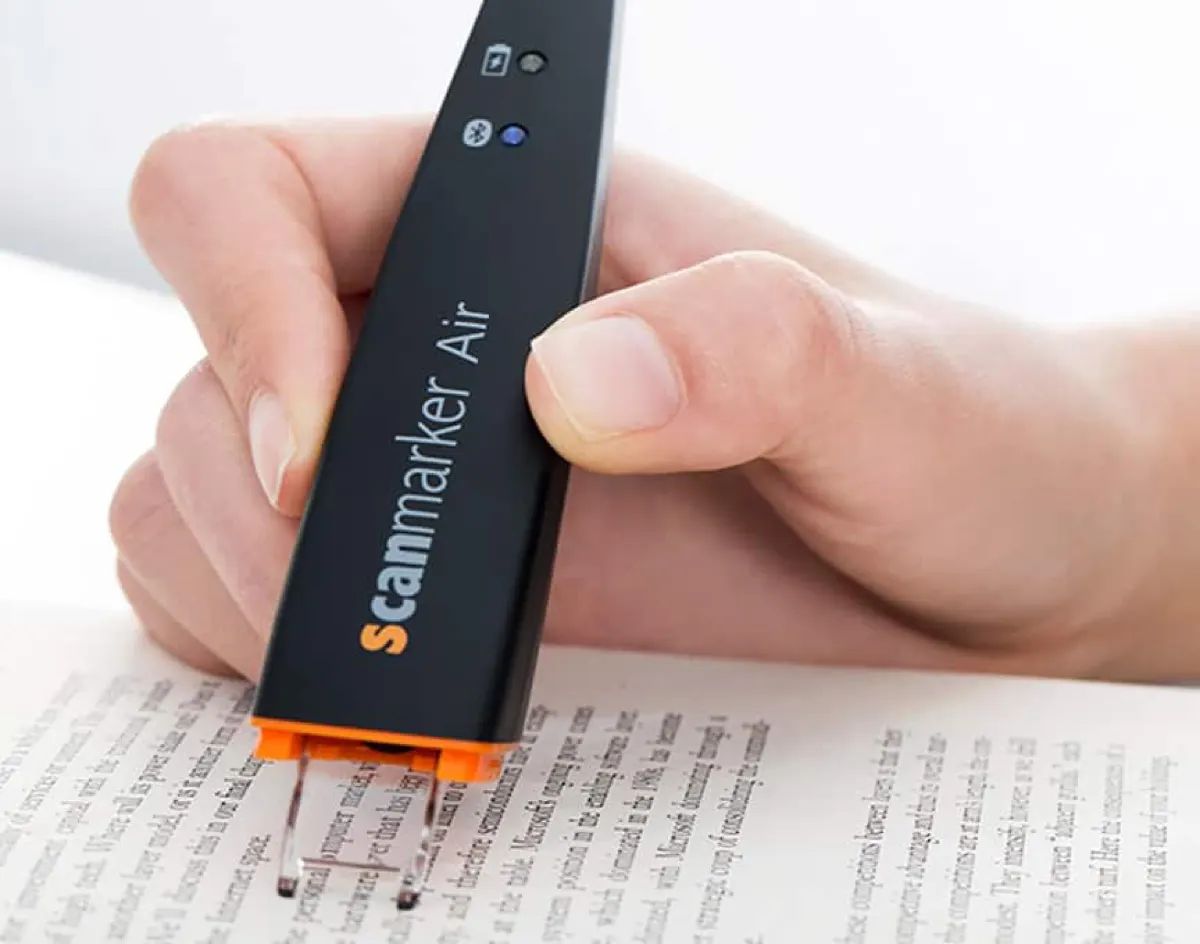
- 1. Frictionless Note-Taking & Citation Capture: When writing research papers, transcribing historical documents or textbook case studies consumes hours. Using a wireless connected pen like the Scanmarker Air ($169), students scan key passages directly into Google Docs, Microsoft Word, OneNote, or Notion. The scanned text behaves exactly as if it were typed at 1,000 words per minute, complete with proper capitalization and punctuation.
- 2. Auditory Dual-Coding for Dense Textbooks: Reading 50 pages of dense biology or legal text often leads to mental exhaustion and skipped paragraphs. By scanning sentences with a standalone text-to-speech pen like the Scanmarker Max ($299), students listen to the material through private earbuds while tracking the words on the printed page. This dual sensory input dramatically improves comprehension and helps students maintain a steady reading rhythm during long study sessions.
- 3. Instant Vocabulary & Academic Definition Lookup: Academic reading frequently stalls on unfamiliar jargon. Rather than reaching for a smartphone (and tumbling into social media notifications), students with a dictionary-equipped pen simply tap or scan the word to see immediate definitions, phonetic pronunciations, and grammatical usage right next to the page.
Scanning Pen vs. Smartphone: Answering the Obvious Question
The most frequent question prospective student buyers ask is: <i>"Why should I buy a dedicated scanning pen when I already carry a smartphone with Google Lens or Apple Live Text?"</i>
While smartphone camera OCR is impressive for capturing a restaurant menu or a full flyer, it fails in daily academic study for three critical reasons:
1. The Distraction Vortex: Every time a student unlocks a smartphone to scan a sentence from a textbook, they are exposed to incoming text messages, social notifications, and app badges. Research consistently shows it takes over 20 minutes to regain deep focus after a digital interruption. A dedicated scanning pen has zero notifications, keeping the student immersed in study.
2. Line-Level Precision vs. Full-Page Clutter: Pointing a phone camera at an open book frequently captures unwanted adjacent columns, headers, footers, and page numbers. Cropping the image and copying the text requires multi-tap friction. A pen scanner glides selectively across the exact clause, statistic, or quote needed in under one second.
3. Strict Institutional Ban in Classrooms and Exams: Smartphones are banned during examinations, standardized testing, and many university lecture halls. A dedicated pen scanner — particularly a standalone model equipped with an exam-lock mode — is accepted by institutions that strictly prohibit connected phones.
Exam Accommodations: IEP, 504 Plans, and Standardized Testing
For students with diagnosed reading differences such as dyslexia or visual processing disorders, assistive technology is often formally mandated under an <b>Individualized Education Program (IEP)</b> or <b>504 Plan</b>.
However, standardized testing authorities (such as the College Board for SAT/AP, ACT Inc., and regional examination boards) enforce rigorous security rules. Assistive pens used during testing must not connect to wireless networks, must not store test questions in memory, and must not provide dictionary or translation assistance that could give an unfair advantage.
This is where dedicated standalone engineering matters. The <b>Scanmarker Max</b> includes a specialized <b>Exam-Lock mode</b>. When activated, the device locks out definitions, translations, and data storage, operating exclusively as an offline text-to-speech decoding assistant. Always verify your specific school district or testing coordinator's approved device registry prior to test day.
Student Comparison: Choosing the Right Model by Study Habit
Match your academic habits and budget to the ideal scanning pen model:
| Model | Form Factor | Price | Primary Strength | Battery | Host Device |
|---|---|---|---|---|---|
| Scanmarker Air | Connected (Wireless) | $169 | Scans directly into any computer/tablet app | 10 hours | Phone, Tablet, Mac, PC, Chromebook |
| Scanmarker Max | Standalone | $299 | Complete study independence, exam-lock, offline TTS | 16 hours | None needed (Standalone) |
| Scanmarker USB | Connected (Wired) | $79 | Budget note capture for shared lab computers | USB Powered | Mac, PC, Chromebook |
If your primary academic goal is compiling notes, writing essays, and capturing citations directly into your laptop, the wireless <b>Scanmarker Air</b> provides the most fluid typing workflow. If you want a distraction-free tool for textbook reading, library marathons, and exam accommodation, the standalone <b>Scanmarker Max</b> is the gold standard.
Tips for Overcoming Common Academic Scanning Challenges
To ensure accurate scanning on varied academic materials, keep these practical tips in mind:
Dealing with Thick Textbook Spines: When scanning near the inner margin (gutter) of a thick hardcover book, press the opposing page flat and angle the pen slightly steeper (around 75–80 degrees) so the optical guide stays flush with the curved paper surface.
Glossy Paper and Highlighting: Glossy textbooks can reflect harsh desk lamp glare into the pen's optical sensor. Tilt the book slightly away from direct overhead light. If text has already been marked with yellow or green highlighter, high-contrast scanning pens will still parse the underlying black text cleanly, but avoid scanning over heavily inked dark blue or purple markers.
Library Etiquette: In quiet study zones, always plug in wired or Bluetooth earbuds rather than using the pen's external speaker.